You talk about your garden. Songbird does the rest.
No spreadsheets. No data entry. No plant profiles to set up. Songbird works the way you already think about your garden: through observations, excitement, and the things you notice while you're out there. The difference is, now none of it gets lost.
The basics

Hold the button and talk.
Songbird is voice-first because gardens are a hands-dirty, phone-in-your-back-pocket kind of thing. When you notice something, whether it’s a first bloom, a ripe tomato, or a bed that needs water, you hold the button like a walkie-talkie and say what you see. That’s it. No navigating to a screen, no finding the right plant in a list, no filling out a form.
Say whatever comes naturally:
- “Planted the sugar snap peas along the back fence today.”
- “The David Austin roses are going absolutely nuts right now.”
- “First zucchini of the season. It’s massive.”
- “Something’s eating the basil. Little holes all over the leaves.”
- “Pulled the garlic today. Biggest bulbs I’ve ever grown.”
You don’t need to use the right terminology. You don’t need to categorize anything. Just talk the way you’d talk to a friend who asked what’s going on in the garden.
Songbird plays it back.
After you speak, Songbird parses what you said and plays it back to you conversationally, confirming the plant, the observation, and any action or issue it picked up.
You said: “The strawberries are ripening like crazy. Picking a handful every morning now.”
Songbird responds: “Got it. Strawberries, harvesting daily. That’s exciting! I’ll keep track. Sound right?”
You tap “That’s right” and you’re done. The whole thing takes ten seconds. Then you’re back to enjoying your garden.
If Songbird got something wrong or misheard you, you can correct it right there. If there’s a lot of background noise, you can always type it instead. But most of the time, you’ll just confirm and keep going.

Songbird remembers.
This is where it gets interesting. Songbird doesn’t just store your notes in a list. It organizes everything. By plant. By location in your garden. By time of year. And by type of observation. It tracks your planting, harvesting, fertilizing and blooming. It listens when things are getting eaten by caterpillars, struggling with blight, or thriving with a bit more shade. Over time, Songbird builds a living, detailed picture of your garden that you can ask questions about anytime.
- “What did I plant last March?”
- “Which tomatoes did I like best last year?”
- “When did the peonies bloom?”
- “How did the garlic do in the raised bed?”
Songbird knows, because you told it. Even if you’ve forgotten.
Even in your first season, before Songbird has patterns to draw from, you get a searchable memory of everything you did and noticed. That alone is more than most gardeners have ever had.
What a season with Songbird actually looks like
Here’s how it plays out from spring to winter.
Early Spring
You’re planning your garden. Maybe you’re flipping through seed catalogs or standing in front of empty beds trying to remember what went where last year.
You ask Songbird: “What did I grow last year?”
Songbird gives you the full picture. What you planted, where it went, what did well, what struggled. It reminds you that the cherry tomatoes were incredible in the west bed, that the lettuce bolted too fast in the south bed, and that you said you wanted to grow more daffodils this year. You don’t have to dig through notebooks or scroll through old photos with timestamps. It’s all there.
And if you’ve been using Songbird for more than a season, it starts coming to you. “Last year you started tomato seeds indoors around March 12. Planning to do the same?” That’s not a generic calendar reminder. That’s based on what you actually did, in your garden, last year.
Planting Season
As you start putting things in the ground, you tell Songbird what’s going where.
- “Put the Roma tomatoes in the west bed. Cherokee Purples along the fence.”
- “Started cucumber seeds today.”
- “Transplanted the dahlias. Fingers crossed this is their year.”
Each one takes a few seconds. You’re just narrating what you’re doing while you’re doing it, and Songbird files it all away.
Mid-Season
This is when your garden is at its fullest: blooming, producing, and changing every day. You start noticing more because you know nothing’s going to slip through the cracks.
A week later, you mention the powdery mildew again. Songbird notices the pattern: “You’ve mentioned powdery mildew on the squash twice now. Last year you tried milk spray and it worked after two applications. Want to try that again?”
- “The echinacea is blooming and the bees are all over it.”
- “Squash leaves are looking powdery. Might be mildew starting.”
- “Picked the first cucumbers today. Way earlier than last year.”
- “The dahlias in the south bed are unbelievable. Best year yet.”
It captures all of it. The wins and the problems. The things you’d celebrate and the things you’d troubleshoot. Nothing gets lost because you forgot to write it down later.
By your second season, Songbird also starts reaching out on its own: “Heads up. Last year cabbage worms showed up the first week of June. Might be worth adding row cover this week.” That’s the difference between a journal and an assistant.

Harvest
The best part. You tell Songbird what you’re picking and how things turned out.
- “The Brandywines are the best tomatoes I’ve ever grown. Unreal flavor.”
- “Pulled the garlic. Small bulbs. Maybe I planted too late.”
- “Zinnias are absolutely stunning this year. Cutting bouquets every week.”
These are the moments that become gold next year. Not because you’re going to remember to go back and read your notes, but because Songbird will bring them up at exactly the right time. Next spring when you’re choosing tomato varieties: “Last year you said the Brandywines were the best you’d ever grown. Want to plant them again?”
Your own enthusiasm, reflected back when it matters most.
End of Season: Your Migration Report
When the season winds down, Songbird creates your Migration Report: a year-in-review of everything that happened in your garden. Your most-mentioned plants, your seasonal timeline, the challenges you overcame, the varieties that became your favorites. Think of it as your garden’s annual story, written for you automatically.
You don’t have to do anything to make this happen. Songbird has been building it all season from your voice notes, turning a season’s worth of small moments into something you can look back on and plan from.
Your first Migration Report is part of your free season. It becomes your planning document for next year, except you didn’t have to write it. And starting in year two, it includes year-over-year comparisons: what improved, what patterns emerged, and what you learned. That’s when it gets really fun.
Migration Report launching Winter 2026.
The longer you use it, the more valuable it gets.
Here’s something we want to be upfront about: Songbird is good from day one, but it’s great by year two. And by year three, it’s something you can’t imagine gardening without. That’s not a bug. It’s how the product is designed to work.
Year One: Songbird Learns
Your first season, Songbird is learning your garden: capturing your observations, organizing them, and giving you a searchable memory of your garden. You can ask it questions, get your first Migration Report, and head into the next season with better information than you’ve ever had.
But something else happens in year one that we didn’t fully expect. You start noticing more. Because you know Songbird is there to catch it, you pay attention to things you might normally walk past. The way the light hits the back bed in late afternoon. Which flowers the pollinators prefer. When the first fireflies show up. Songbird doesn’t just remember your garden. It changes how you see it.

Year Two: Songbird Connects the Dots
This is when Songbird transforms from helpful tool to something you can’t garden without. It has a full season of your observations to draw from, and now two things happen.
First, it can answer your questions with real depth:
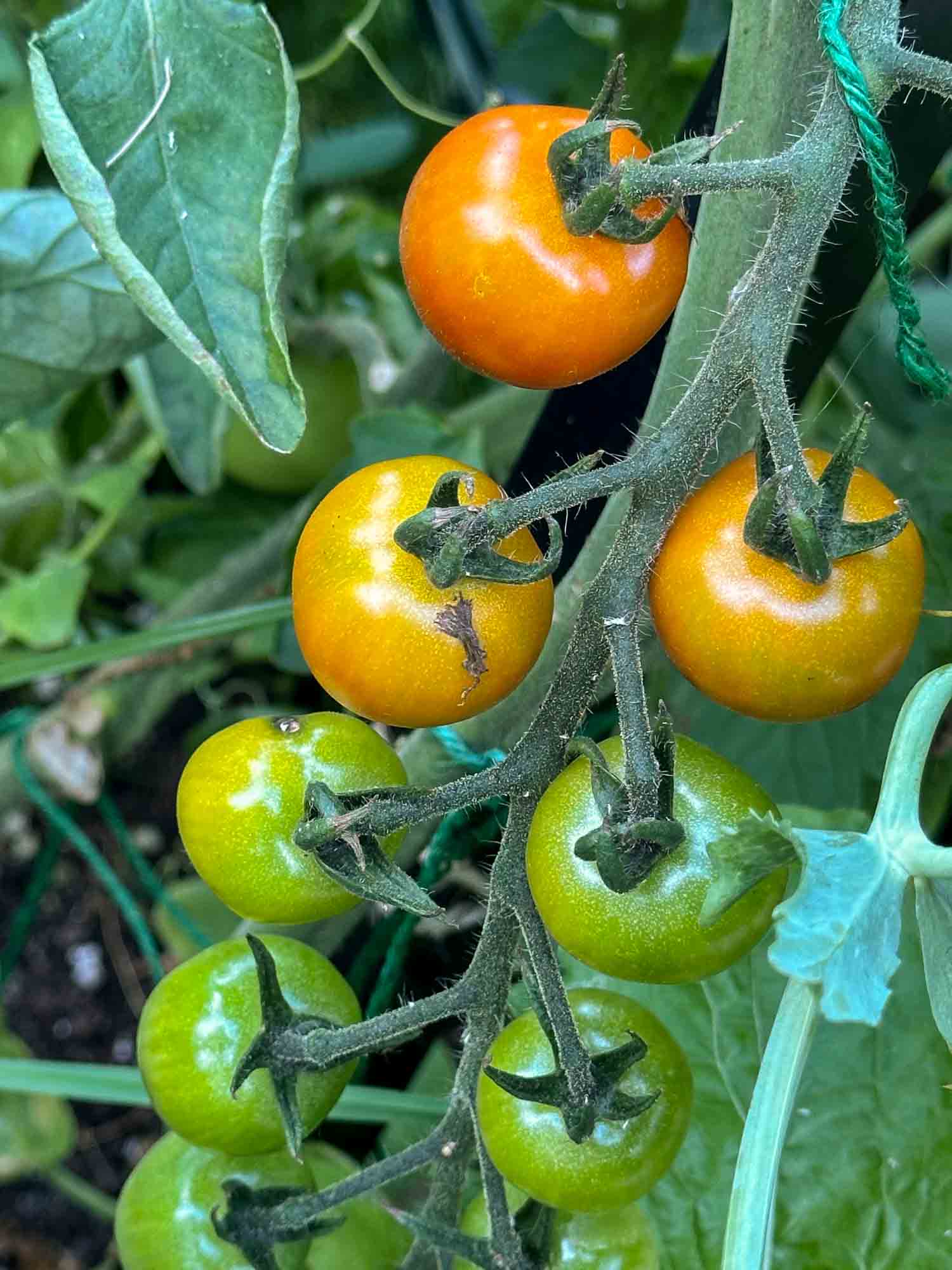
- “Your Sungolds ripened July 2nd last year. Keep an eye on them.”
- “Your tomatoes did best in the west bed last year. Worth planting there again?”
- “The dahlias didn’t make it through winter in the north bed, but they came back strong in the raised bed.”
Second, it starts coming to you. Instead of waiting for you to ask, Songbird notices when seasonal patterns line up with last year’s observations:
- “Last year you side-dressed the tomatoes with compost in late May. It correlated with your best tomato year. Worth doing again?”
- “Aphids showed up on your roses mid-May last year. Might be worth checking them this week.”
It’s not giving you generic advice from a gardening textbook. It’s giving you advice from your own garden’s history, and it’s bringing it to you right when it’s useful.
Your second Migration Report shows side-by-side comparisons: what changed, what improved, and what patterns are emerging across seasons.
Year Three and Beyond: Songbird Knows Your Garden Better Than You Do
Multiple seasons of observations mean Songbird can spot trends you’d never catch on your own. Which beds produce the best of which crops. When your specific microclimate typically gets its first frost. Which varieties you keep coming back to because they just work in your garden.
By now, Songbird isn’t just remembering. It’s anticipating.
- “Your basil has bolted in early July three years running. Succession planting in late June might buy you a few more weeks.”
- “Peppers consistently do better in your east bed. Probably the morning sun and wind protection.”
- “Your notes show that when you water deeply twice a week, the tomatoes outperform daily light watering. Even in heat waves.”
These aren’t guesses. These are patterns from your garden, across multiple seasons, that you’d never connect on your own. That’s not a journal. That’s an executive assistant for your garden.
Songbird is for gardeners who’d rather be gardening.
and found yourself spending more time updating the app than actually being in the garden, Songbird is the opposite of that. No task lists. No Gantt charts. No dashboards. Just your voice and a tool that does the organizing for you, so you can stay present in the garden instead of staring at a screen.
and love the practice of recording what happens in your garden, Songbird gives you a superpower your notebook never could. It takes your observations and turns them into searchable, pattern-aware memory that gets smarter over time. Everything you loved about journaling, plus an assistant that actually reads the journal back to you when it matters.
but wish you could remember more from season to season (which varieties were your favorites, when things bloomed, what actually worked), Songbird is the easiest possible way to start. No setup, no learning curve. If you can talk about your garden, you can use Songbird.
And don’t worry about using it perfectly. You don’t need to log something every day. Use Songbird when something notable happens: when you plant something, notice a problem, or harvest something you’re excited about. Even 20 or 30 observations in a season gives you more to work with next year than you’ve ever had. There’s no streak to maintain and no guilt if you miss a week. Songbird just picks up where you left off.
Songbird doesn’t just remember your garden. It changes how you see it.
Free for your first growing season. Then $20/year as Songbird starts connecting the dots: pattern recognition, seasonal reminders, and advice based on your garden's history. No credit card required. Your data stays yours either way.
Launching Spring 2026